
via @bearstech


via @fanf
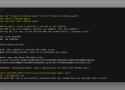
While reading through the reference of cloud-init, I stumbled over ssh-import-id(1) today.
Eg import my public SSH keys appending them to current user's authorized_keys file:
$ ssh-import-id gh:jpmenshttps://manpages.ubuntu.com/manpages/stonking/man1/ssh-import-id.1.html

via le taf

A palindrome URL for your localhost.
curl 'http :// 2130706433:80#08:3346070312//:ptth'


via @benzogaga33
via @benzogaga33

Tiens ptite feature que je viens de découvrir dans #zsh.Vous commencez à taper une commande et finalement vous avez besoin du manuel pour la paufiner. Un ptit coup de Alt-h et hop ! Il apparait et ...
Add these alias to your shell startup and you can find your public IPv4 or IPv6 without visiting any 3rd party web site from your Linux, macOS or Unix machine:
alias what_is_my_ip='dig +short txt ch whoami.cloudflare @1.0.0.1'
alias what_is_my_ip_v4='what_is_my_ip'
alias what_is_my_ip_v6='dig -6 TXT +short o-o.myaddr.l.google.com @ns1.google.com'
Run it as:
what_is_my_ip
what_is_my_ip_v4
what_is_my_ip_v6